Accessibility Research Study
Accessibility Research Study
Humans, AI & Indoor Navigation
Humans, AI & Indoor Navigation
UX Research
UX Research
UX Research
Accessibility research on the Aira app, trust, and real-world usability
Accessibility research on the Aira app, trust, and real-world usability
Duration
Duration
8 weeks
8 weeks
8 weeks
Responsibilities
Responsibilities
UX researcher🕵️♀️
Usability Tester👩🔬
UX researcher🕵️♀️
Usability Tester👩🔬
UX researcher🕵️♀️
Usability Tester👩🔬


What emerged
What emerged
What emerged
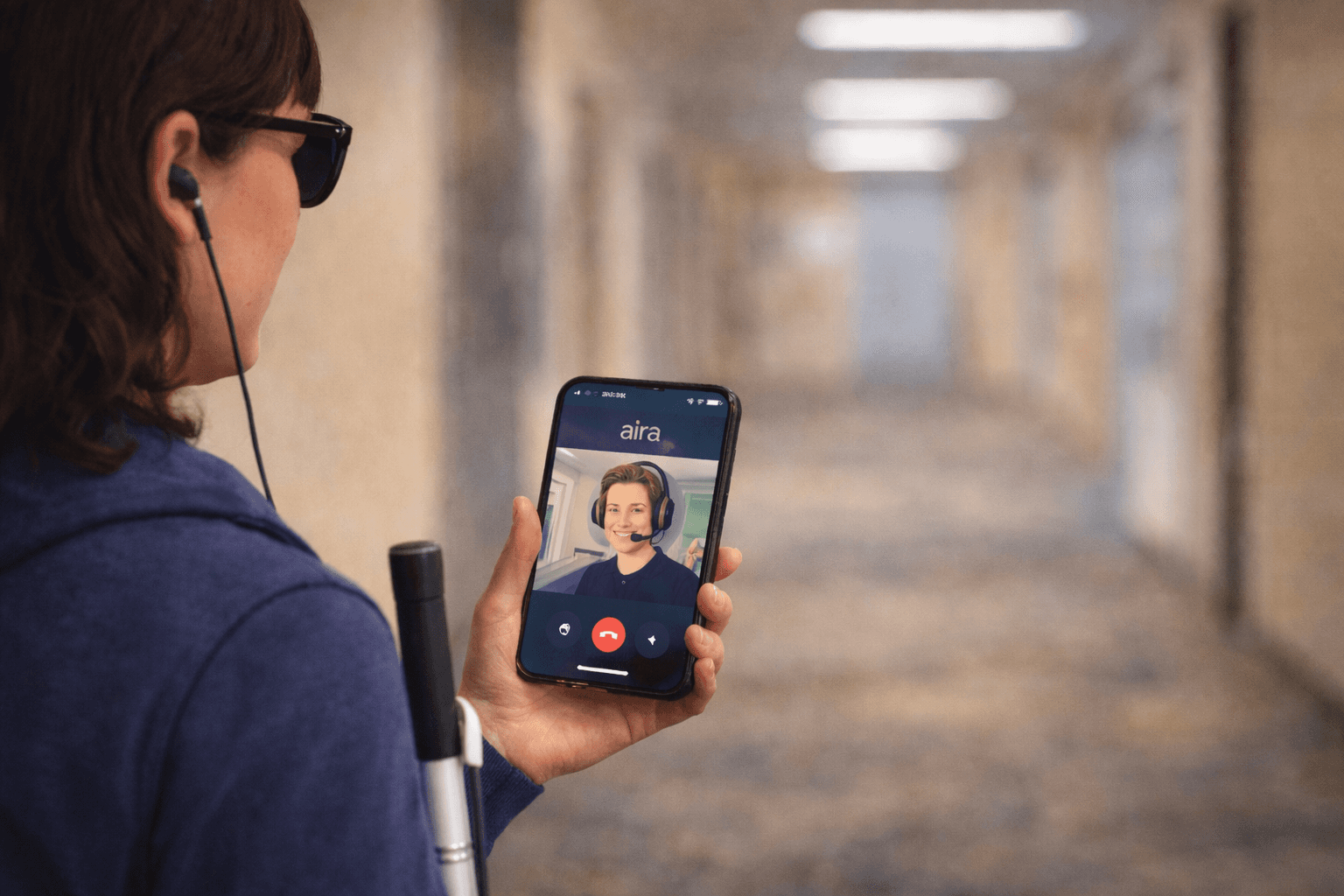
This research focused on the Aira application and how people who are blind or have low vision use it for indoor navigation and information tasks.
What became clear very quickly is that users don’t experience Aira as a single system. They experience it as a mix of AI tools and live human assistance and they move between the two depending on confidence, urgency, and task complexity.
AI inside the app is often used first because it’s fast and always available. Human agents are brought in when tasks feel important, unclear, or risky.
Accessibility issues appear when this transition is not smooth or when the system assumes too much from the user.
This research focused on the Aira application and how people who are blind or have low vision use it for indoor navigation and information tasks.
What became clear very quickly is that users don’t experience Aira as a single system. They experience it as a mix of AI tools and live human assistance and they move between the two depending on confidence, urgency, and task complexity.
AI inside the app is often used first because it’s fast and always available. Human agents are brought in when tasks feel important, unclear, or risky.
Accessibility issues appear when this transition is not smooth or when the system assumes too much from the user.

Core issues
Core issues
Core issues
The core problem wasn’t that Aira lacks features. It was that critical moments were under-supported.
Users struggled most when aiming their camera without feedback, interpreting vague AI responses, or racing against time limits during live calls. These moments created pressure and made accessibility feel conditional rather than reliable.
The app often assumes users already know how to use it effectively. For new or less experienced users, that assumption becomes an accessibility barrier.
The core problem wasn’t that Aira lacks features. It was that critical moments were under-supported.
Users struggled most when aiming their camera without feedback, interpreting vague AI responses, or racing against time limits during live calls. These moments created pressure and made accessibility feel conditional rather than reliable.
The app often assumes users already know how to use it effectively. For new or less experienced users, that assumption becomes an accessibility barrier.
Potential gains
Potential gains
Potential gains
The accessibility issues identified in Aira are small in isolation, but they compound during real use. Addressing them could meaningfully improve how confident and efficient users feel.
The projected impact includes:
Shorter and more effective live assistance calls
Reduced frustration during indoor navigation tasks
Faster onboarding for first-time Aira users
Better trust in AI features without over-relying on them
The accessibility issues identified in Aira are small in isolation, but they compound during real use. Addressing them could meaningfully improve how confident and efficient users feel.
The projected impact includes:
Shorter and more effective live assistance calls
Reduced frustration during indoor navigation tasks
Faster onboarding for first-time Aira users
Better trust in AI features without over-relying on them
The accessibility issues identified in Aira are small in isolation, but they compound during real use. Addressing them could meaningfully improve how confident and efficient users feel.
The projected impact includes:
Shorter and more effective live assistance calls
Reduced frustration during indoor navigation tasks
Faster onboarding for first-time Aira users
Better trust in AI features without over-relying on them
Design recommendations
Design recommendations
Design recommendations
One opportunity is improving camera alignment support. Adding audio or haptic cues could help users frame objects more easily before or during a live call.
Another opportunity is allowing task context to be shared in advance. Letting users upload a photo or short voice note before connecting to an agent could save time and reduce stress.
Finally, onboarding needs to be safer. A low-pressure practice mode would allow users to learn how Aira works without worrying about time limits or mistakes.
One opportunity is improving camera alignment support. Adding audio or haptic cues could help users frame objects more easily before or during a live call.
Another opportunity is allowing task context to be shared in advance. Letting users upload a photo or short voice note before connecting to an agent could save time and reduce stress.
Finally, onboarding needs to be safer. A low-pressure practice mode would allow users to learn how Aira works without worrying about time limits or mistakes.
One opportunity is improving camera alignment support. Adding audio or haptic cues could help users frame objects more easily before or during a live call.
Another opportunity is allowing task context to be shared in advance. Letting users upload a photo or short voice note before connecting to an agent could save time and reduce stress.
Finally, onboarding needs to be safer. A low-pressure practice mode would allow users to learn how Aira works without worrying about time limits or mistakes.
Study setup
Study setup
Why Aira?
Recommended Improvements
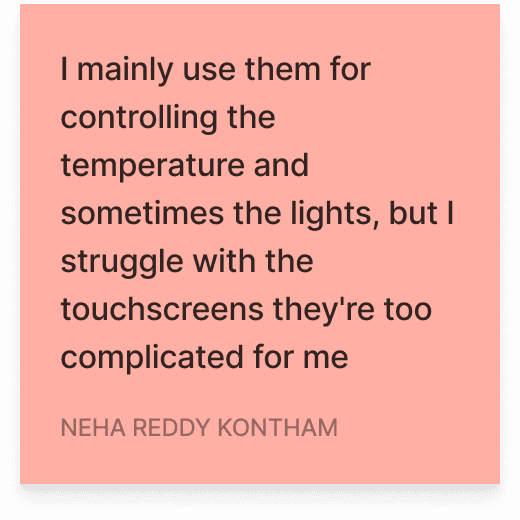
📱Make apps and devices easier to use with clear instructions, larger buttons, and guided tutorials.
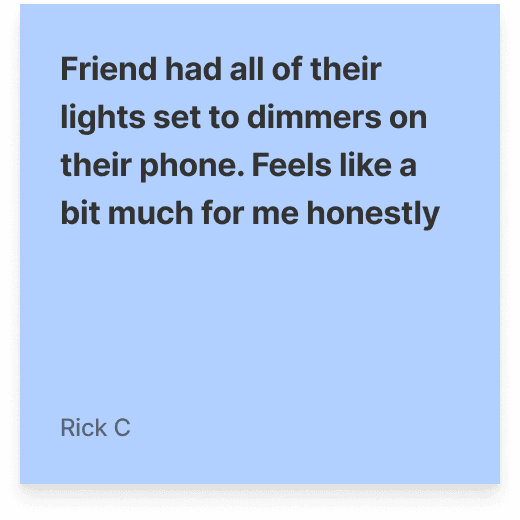
🔗 Ensure devices from different brands work seamlessly together for hassle-free operation.
🔒 Provide transparent data policies and try to give sensory control of devices in hands of user to build trust.
⚙️ Refine automation features to ensure they work consistently and as intended.
Why Aira?
Recommended Improvements
📱Make apps and devices easier to use with clear instructions, larger buttons, and guided tutorials.
🔗 Ensure devices from different brands work seamlessly together for hassle-free operation.
🔒 Provide transparent data policies and try to give sensory control of devices in hands of user to build trust.
⚙️ Refine automation features to ensure they work consistently and as intended.
Why Aira?
Recommended Improvements
📱Make apps and devices easier to use with clear instructions, larger buttons, and guided tutorials.
🔗 Ensure devices from different brands work seamlessly together for hassle-free operation.
🔒 Provide transparent data policies and try to give sensory control of devices in hands of user to build trust.
⚙️ Refine automation features to ensure they work consistently and as intended.
How the study worked
How the study worked
How the study worked
What we analyzed
What we analyzed
What we analyzed
Study limitations
Study limitations
Study limitations

Reflections
Reflections
Reflections
This project reinforced that accessibility issues often live in transitions — between AI and humans, between confidence and uncertainty, and between knowing and guessing.
Aira works best when it reduces effort. When it asks users to adapt too much, accessibility breaks down. Designing for accessibility means designing for clarity, reassurance, and forgiveness.
The biggest takeaway: accessible systems don’t just work, they make users feel supported while they work.
This project reinforced that accessibility issues often live in transitions — between AI and humans, between confidence and uncertainty, and between knowing and guessing.
Aira works best when it reduces effort. When it asks users to adapt too much, accessibility breaks down. Designing for accessibility means designing for clarity, reassurance, and forgiveness.
The biggest takeaway: accessible systems don’t just work, they make users feel supported while they work.
This project reinforced that accessibility issues often live in transitions — between AI and humans, between confidence and uncertainty, and between knowing and guessing.
Aira works best when it reduces effort. When it asks users to adapt too much, accessibility breaks down. Designing for accessibility means designing for clarity, reassurance, and forgiveness.
The biggest takeaway: accessible systems don’t just work, they make users feel supported while they work.

Good accessibility isn’t about doing more. It’s about making things feel easier, faster, and safer.
Good accessibility isn’t about doing more. It’s about making things feel easier, faster, and safer.
Good accessibility isn’t about doing more. It’s about making things feel easier, faster, and safer.
What Else I've Done
What Else I've Done
REVAMP PROJECT
Starbucks App Redesign: Elevating the Coffee Experience
Starbucks App Redesign: Elevating the Coffee Experience
Redefining the Starbucks mobile experience by enhancing usability, streamlining ordering processes, and introducing Reordering feature for a seamless coffee journey.
Redefining the Starbucks mobile experience by enhancing usability, streamlining ordering processes, and introducing Reordering feature for a seamless coffee journey.
SMART HOME APPLICATION
SMART HOME APPLICATION
Sentri : Effortless Control, Uncompromised Security
Sentri : Effortless Control, Uncompromised Security
Simplifying home automation with user-centered design and enhancing convenience with a research-driven approach to smart living.
Simplifying home automation with user-centered design and enhancing convenience with a research-driven approach to smart living.

Officially the end of the page 📜.
Unofficially the start of our collaboration? 🤝✨
Dreamed in daylight 🌅, built in the quiet of the night 🌙
Officially the end of the page .
Unofficially the start of our collaboration? 🤝
Built from the ground up.
No templates were harmed in the making of this site.
Officially the end of the page .
Unofficially the start of our collaboration? 🤝
Built from the ground up.
No templates were harmed in the making of this site.